


n8n Workflows
What is n8n and when to use it instead of Zapier?
Mar 3, 202614 min
n8n Workflows
Teams adopting automation often ask one question first: should we build on n8n or Zapier? Both tools can ship value quickly, but they optimize for different operating models. This guide explains the trade-offs from a technical and business operations perspective so founders, developers, and ops leads can make the right choice early.
Most teams start with disconnected SaaS tools and manual handoffs. As process complexity grows, brittle point-to-point automations create hidden cost: duplicate records, failure blind spots, and no clear ownership. The platform decision becomes critical because it affects maintainability, visibility, and long-term workflow governance.
A workflow orchestration layer centralizes triggers, rules, data mapping, and observability. Instead of repeating manual copy-paste tasks, teams get deterministic process execution and faster response loops. Good automation also enforces consistency, making operational performance less dependent on individual team habits.
Reference architecture for a typical growth workflow: Form Trigger -> Validation -> Enrichment -> CRM Upsert -> Team Notification -> Audit Log. The same architecture can be built in both tools, but n8n offers stronger flexibility for custom branching and self-hosted control.
Step 1: Capture the trigger event from form, inbox, or API. Step 2: Validate and normalize payload fields. Step 3: Enrich data from CRM or external context APIs. Step 4: Execute business rules (scoring, routing, ownership). Step 5: Write updates to core systems. Step 6: Notify the operating team with structured context. Step 7: Store execution logs for debugging and compliance.
n8n gives deeper node-level control for custom logic and reusable sub-workflows. Common nodes include Webhook, IF, Function, Merge, HTTP Request, and Data Store nodes. For engineering teams, this means better handling of edge cases and lower lock-in when process requirements evolve.
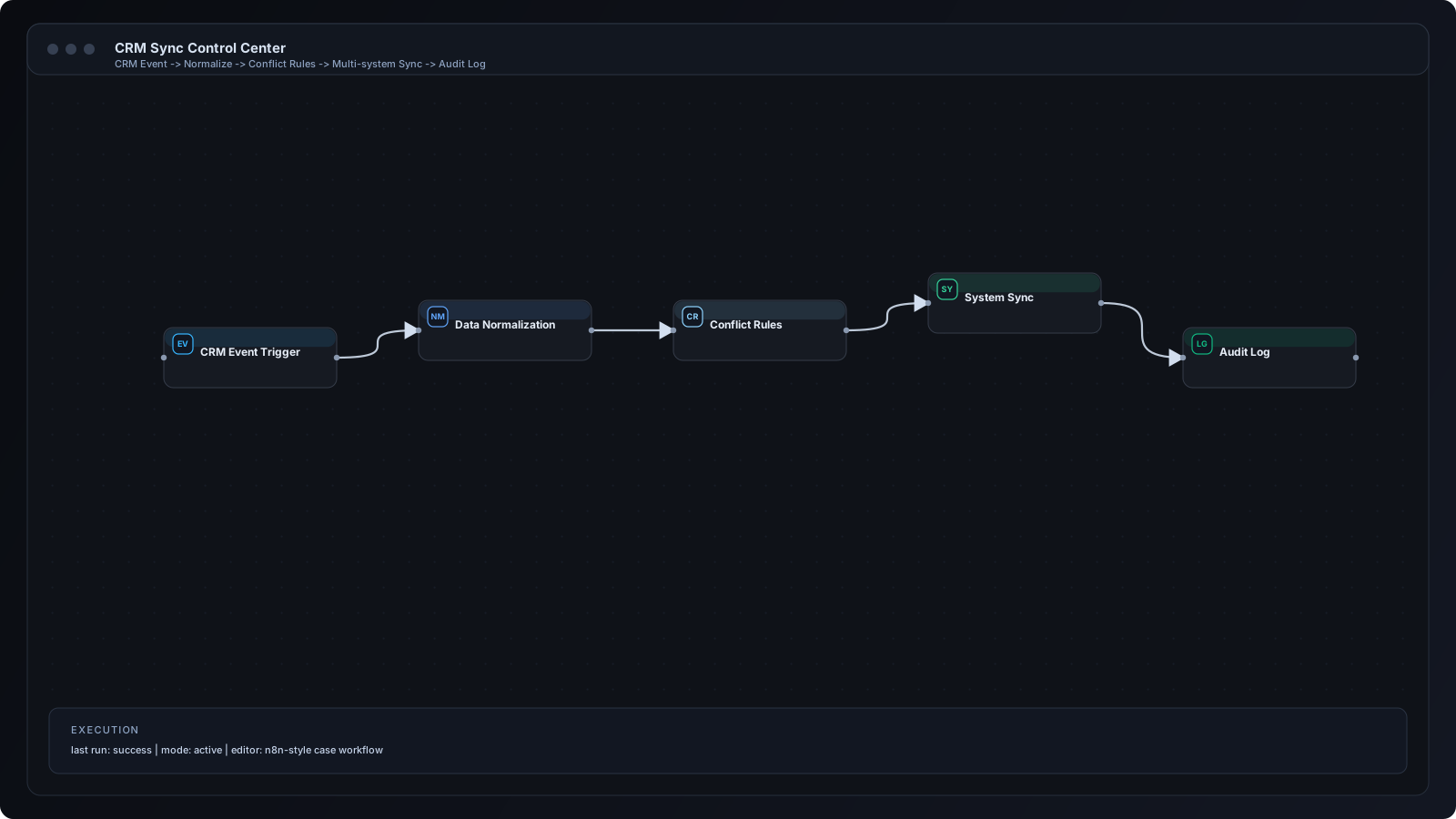
1) Lead routing with conditional ownership rules. 2) AI-assisted support drafting with human approvals. 3) CRM sync with conflict resolution. 4) Multi-channel notifications with escalation logic. 5) Scheduled reporting with anomaly alerts.
A frequent mistake is selecting a tool based only on setup speed, not lifecycle complexity. Teams also under-design error handling, causing silent failures in production. Another issue is scattered credentials and undocumented mapping logic, which makes workflows difficult to maintain.
Use explicit naming conventions for workflows and nodes. Keep business rules versioned and documented next to each automation. Add retry strategy, error branches, and alerting from day one. Build with observability so operations can detect and resolve issues fast.
At scale, route by region, product line, and ownership capacity instead of sending all events through one channel. Introduce queue-based processing for burst traffic and idempotency keys for safe retries. Move from single-flow automations to modular workflows that share common validation and logging steps.
Store API keys in secure environment variables, never hard-code credentials in workflow nodes. Enforce payload validation before any downstream writes. Minimize personal data in logs and define retention policies for audit records. For regulated teams, add approval checkpoints on sensitive actions.
Q: Is n8n better for every team? A: No. It is better when you need customization, control, and complex branching. Q: Is Zapier still useful? A: Yes, especially for lightweight, low-maintenance app-to-app automations. Q: Can teams use both? A: Yes. Many organizations use Zapier for simple automations and n8n for core process orchestration.
Choose the platform that matches your operational maturity, not just your immediate setup speed. If your workflows involve custom logic, governance, and scale, n8n is usually the stronger foundation. If needs are simple and speed is the only priority, Zapier can still be effective.
Automation
AI for Business
Automation