

Website Conversion
Website + automations: the modern growth stack
Mar 3, 202615 min
Website Conversion
A high-conversion website is not just a design deliverable; it is the front door of an operations system. The page experience and the post-submit workflow must be designed together. This guide explains how to build a website-centric automation stack that supports real revenue outcomes.
Teams often invest in landing pages but leave lead handling disconnected from CRM and internal response workflows. This causes delayed follow-up, incomplete attribution, and poor conversion insight. Marketing and operations then optimize different metrics without shared context.
Automation connects form submissions, attribution metadata, routing logic, and team alerts in one deterministic flow. Every lead event is captured, qualified, and acted on quickly. This creates a closed-loop system where conversion improvements are measurable and repeatable.
Growth stack architecture: Website Form + Tracking -> Webhook Intake -> Validation -> Enrichment -> CRM Upsert -> Sales/Support Alerts -> Analytics Dashboard. This architecture ensures both campaign attribution and operational response are handled in one pipeline.
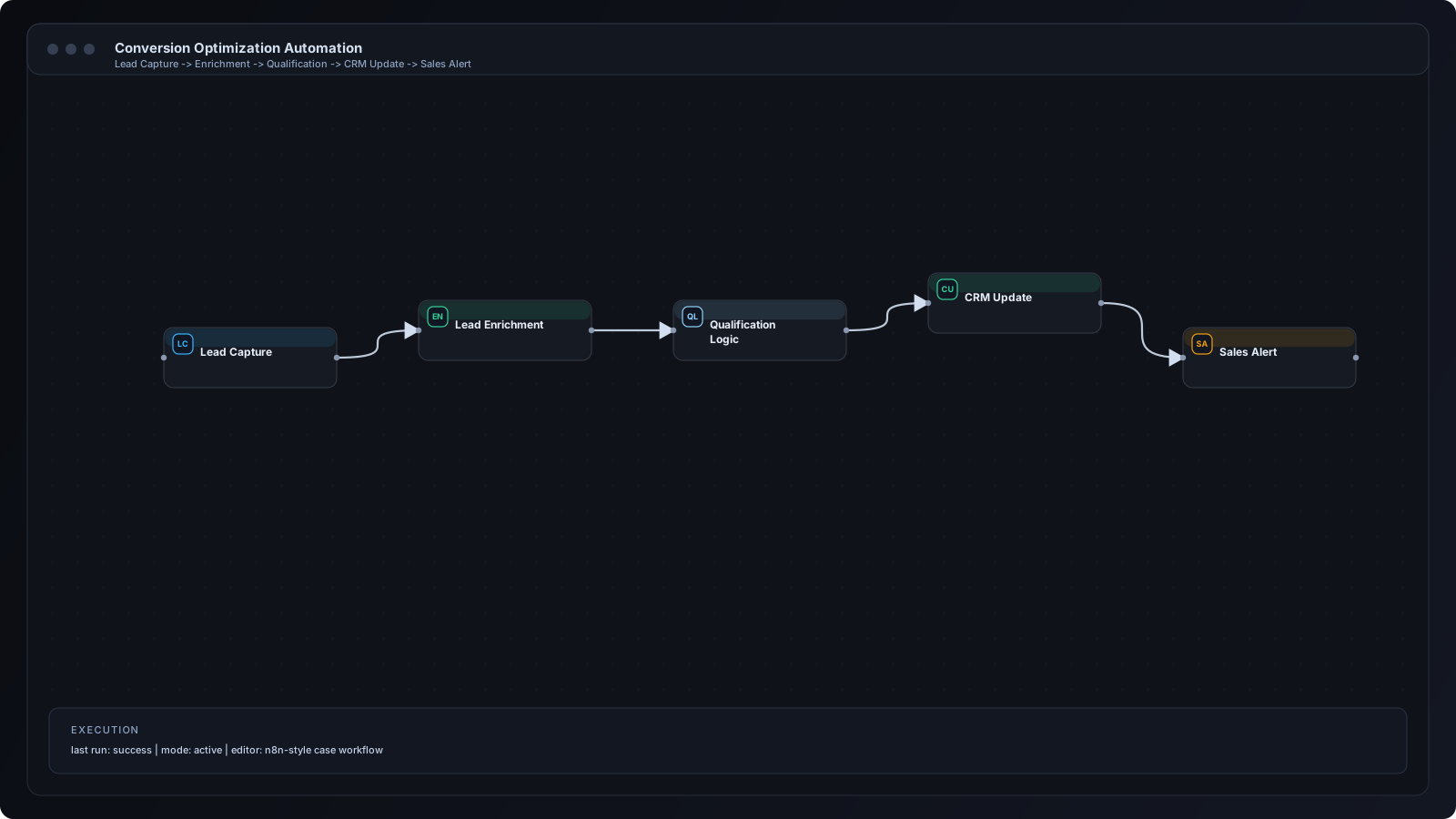
Step 1: Capture UTM and source metadata at submit time. Step 2: Send payload into webhook intake. Step 3: Validate and normalize lead data. Step 4: Enrich lead profile using CRM or enrichment APIs. Step 5: Update CRM objects and assign owner. Step 6: Trigger immediate team notification. Step 7: Push events to reporting layer for conversion analysis.
n8n orchestrates website events across CRM, messaging, and analytics destinations. Common nodes include Webhook, Set, IF, HTTP Request, CRM connectors, and notification nodes. Wait nodes can power follow-up reminders for uncontacted leads, while logs track lifecycle quality.
Agency landing pages routing leads by service intent. SaaS demo funnels with SDR assignment automation. Consulting applications with qualification thresholds. Ecommerce high-ticket inquiry handling with instant owner alerts.
Collecting conversion events without source context weakens campaign optimization. Another problem is poor field naming consistency between forms and CRM. Teams also overlook failover alerts, so intake issues go unnoticed during high-traffic periods.
Treat website forms as production APIs with strict data contracts. Keep message templates standardized for internal alerts. Measure lead response time as a core conversion metric, not just form submissions. Use periodic QA tests on the full submit-to-contact path.
Scale by creating segment-specific routing for product lines, regions, and campaign tiers. Introduce intelligent lead scoring and priority queues. Add asynchronous processing for high-volume events and build dashboard slices by source and owner performance.
Apply anti-spam controls, request validation, and secure credential management. Avoid exposing personally identifiable information in unsecured channels. Set clear retention and deletion policies for lead data. Audit integration permissions quarterly.
Q: Can we run this with existing website builders? A: Yes, as long as form events can POST to webhooks. Q: Do we need a full CRM migration first? A: No, you can start with your current CRM and improve mapping iteratively. Q: How quickly can results appear? A: Response-time and lead-handoff improvements are often visible in the first week. Q: Can AI be added later? A: Yes, AI scoring and drafting layers can be added after baseline stability.
Modern growth performance depends on more than page design; it depends on connected operations after conversion events occur. When websites, CRM, notifications, and analytics run in one automation stack, teams respond faster and optimize with better data. That is the foundation of sustainable conversion growth.
n8n Workflows
Automation
AI for Business