


Reporting prep time
Before: 11 hours/week
After: 2.8 hours/week
-75%
Faster decision cycles
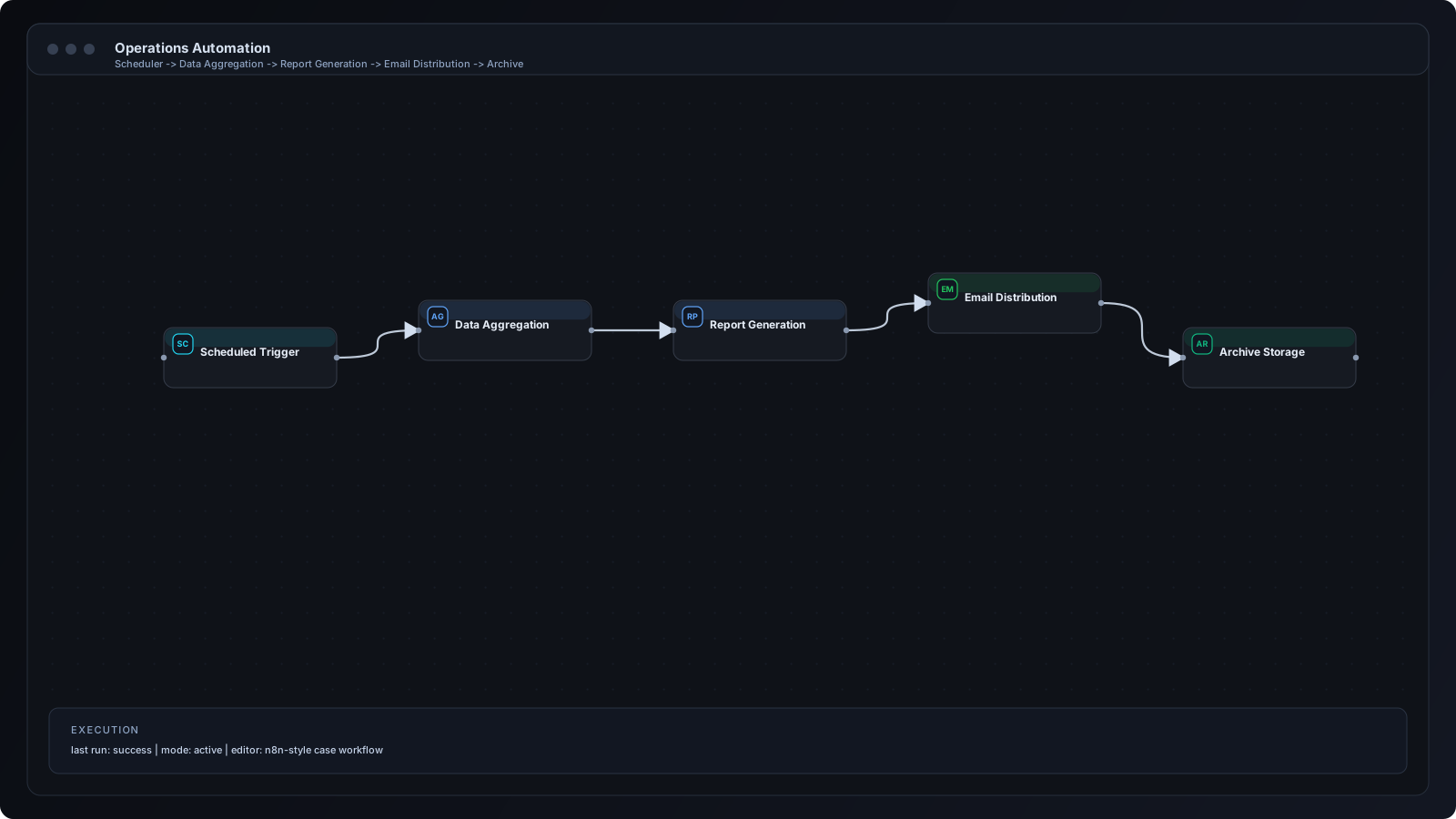
Built scheduled ETL workflow for KPI calculation, dashboard refresh, and anomaly alerts.
Reporting prep time
Before: 11 hours/week
After: 2.8 hours/week
-75%
KPI freshness
Before: Weekly
After: Daily / real-time alerts
Faster insight
Ops incident detection
Before: Reactive
After: Proactive
Improved control
Section 1 - Client Problem
Section 2-3 - Context and Goal
An operations-heavy business needed centralized visibility across support, sales, and fulfillment workflows with minimal manual reporting effort.
Build an automated reporting pipeline that consolidates data, computes KPIs, and distributes dashboards and alert summaries.
Section 4-5 - Workflow and Architecture
Scheduled ETL + event alerts architecture for operational intelligence.
Recommended diagram: Source Systems -> ETL Transform -> KPI Engine -> Dashboard -> Digest Notification -> Threshold Alerts.
Section 6 - Step by Step Workflow
Step 1
Scheduler triggers daily and weekly reporting jobs.
Step 2
Data connectors pull records from source systems.
Step 3
Transformation logic standardizes timestamps and ownership fields.
Step 4
KPI engine computes conversion, SLA, and throughput metrics.
Step 5
Dashboard tables are updated in reporting layer.
Step 6
Executive digest is sent to leadership channel.
Step 7
Anomaly alerts trigger if thresholds are exceeded.
Section 7 - n8n Breakdown
Cron Node
Runs scheduled reporting jobs.
HTTP/CRM Nodes
Fetches records from connected systems.
Function Node
Transforms and aggregates KPI data.
Google Sheets/DB Node
Writes outputs to reporting store.
Telegram/Slack Node
Sends digest and alert summaries.
IF Node
Triggers anomaly notifications based on thresholds.
Integration icons and tooling used in this implementation.
 n8n
n8n Google Sheets
 Slack
Slack Telegram
Section 8 - Results and Metrics
| Metric | Before | After | Impact |
|---|---|---|---|
| Reporting prep time | 11 hours/week | 2.8 hours/week | -75% |
| KPI freshness | Weekly | Daily / real-time alerts | Faster insight |
| Ops incident detection | Reactive | Proactive | Improved control |
Section 9 - Implementation Challenges
Applied timezone normalization and unified timestamp schema.
Added fallback mapping rules and data quality flags.
Introduced incremental sync windows and pagination.
Section 10 - Lessons Learned
Section 11 - FAQ
Yes. Critical KPI alerts can be event-driven while full reports remain scheduled.
Yes. Reports can be exported to email, Slack, Telegram, or cloud storage.
Yes. Output tables can feed BI tools like Looker Studio or Power BI.
Initial reporting automation was launched in 10 business days.
Share your workflow stack and current bottlenecks. We will design a practical automation architecture with implementation priorities.