


Sync error rate
Before: 14%
After: 2.1%
-85%
Trusted CRM reporting
Built bidirectional sync workflow with precedence rules, retries, and audit logs.
Sync error rate
Before: 14%
After: 2.1%
-85%
Weekly reconciliation time
Before: 9 hours
After: 1.5 hours
-83%
Pipeline data confidence
Before: Low
After: High
Major increase
Section 1 - Client Problem
Section 2-3 - Context and Goal
A B2B company with growing account volume needed trusted CRM data for forecasting and customer lifecycle operations.
Build a bidirectional sync layer that keeps core contact and pipeline data consistent across CRM and operations tools.
Section 4-5 - Workflow and Architecture
Event and scheduled reconciliation architecture with conflict resolution and audit trail.
Recommended diagram: CRM Event + Scheduled Sync -> Normalization -> Conflict Resolution -> Multi-System Update -> Audit Log -> Exception Queue.
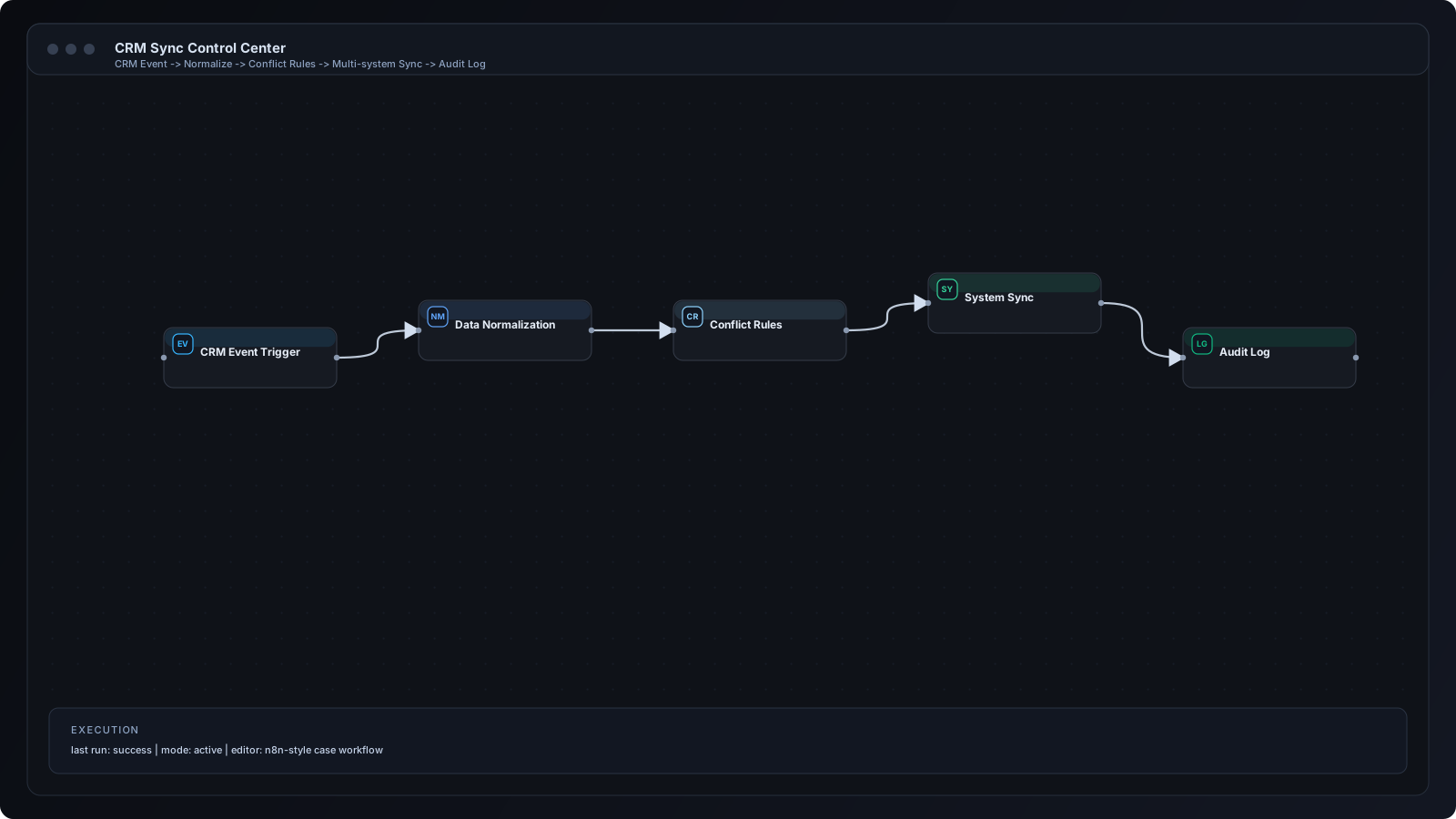
Section 6 - Step by Step Workflow
Step 1
Change event arrives from primary CRM.
Step 2
Workflow normalizes payload and validates key identifiers.
Step 3
Conflict policy decides source-of-truth priority by field.
Step 4
Secondary systems are updated with mapped values.
Step 5
Audit record is created for every change transaction.
Step 6
Conflicts are queued for manual review if validation fails.
Section 7 - n8n Breakdown
Webhook + Polling Nodes
Captures both event and scheduled sync triggers.
Merge Node
Combines existing and incoming records for comparison.
Function Node
Applies field precedence and conflict logic.
CRM/API Nodes
Writes resolved values to connected systems.
Data Store Node
Stores sync transaction history.
Slack/Telegram Node
Alerts team about unresolved conflicts.
Integration icons and tooling used in this implementation.
 HubSpot
 n8n
n8n Webhooks
 Slack
SlackSection 8 - Results and Metrics
| Metric | Before | After | Impact |
|---|---|---|---|
| Sync error rate | 14% | 2.1% | -85% |
| Weekly reconciliation time | 9 hours | 1.5 hours | -83% |
| Pipeline data confidence | Low | High | Major increase |
Section 9 - Implementation Challenges
Implemented deterministic precedence rules and timestamp-based tie breakers.
Created canonical schema map and migration utility for field alignment.
Added transaction logging, retries, and exception queues with manual replay.
Section 10 - Lessons Learned
Section 11 - FAQ
Both. Critical fields can sync in real time and full reconciliation can run on schedule.
Yes. Custom entity mappings can be added with transformation logic.
Loop prevention is handled with source markers and idempotency checks.
Yes. Dashboard metrics and alert thresholds are included.
Share your workflow stack and current bottlenecks. We will design a practical automation architecture with implementation priorities.